
Everything touches Active Directory. Too little of it is controlled.
HR onboarding, service desk workflows, security tools and now AI agents all change Active Directory. SYNERGY Management Gateway for Active Directory gives them one controlled way in — every change checked, approved where it matters, and recorded.

Too many hands on Domain Admin
Scripts, service accounts and third-party tools each keep their own privileged credentials — often shared, rarely rotated.
Automation lives in fragile scripts
PowerShell scattered across servers, with no approval step and no record of what ran. When the person who wrote it leaves, the knowledge leaves too.
AI agents have no safe way in
Teams want assistants to unlock accounts and answer directory questions. Today, giving an agent access means giving it the keys.
What changes with the gateway
Applications, workflows and AI agents work with users, groups, OUs, computers and service accounts through one REST API and MCP server — and every request passes the same permission, approval and audit checks.

Control every change
Keys and roles reach only the directories they need, and sensitive changes wait for approval. Fewer admin rights to justify — and no more being the last safeguard.

Automate safely
Connect HR, ITSM and your own scripts through the REST API, and let AI agents work over MCP — each with only the access its key allows.

Prove what happened
Every change is recorded with who asked, from where and what changed, and can stream to your SIEM. Audit evidence becomes a report, not a project.
Key features
Six capabilities IT teams ask about first.
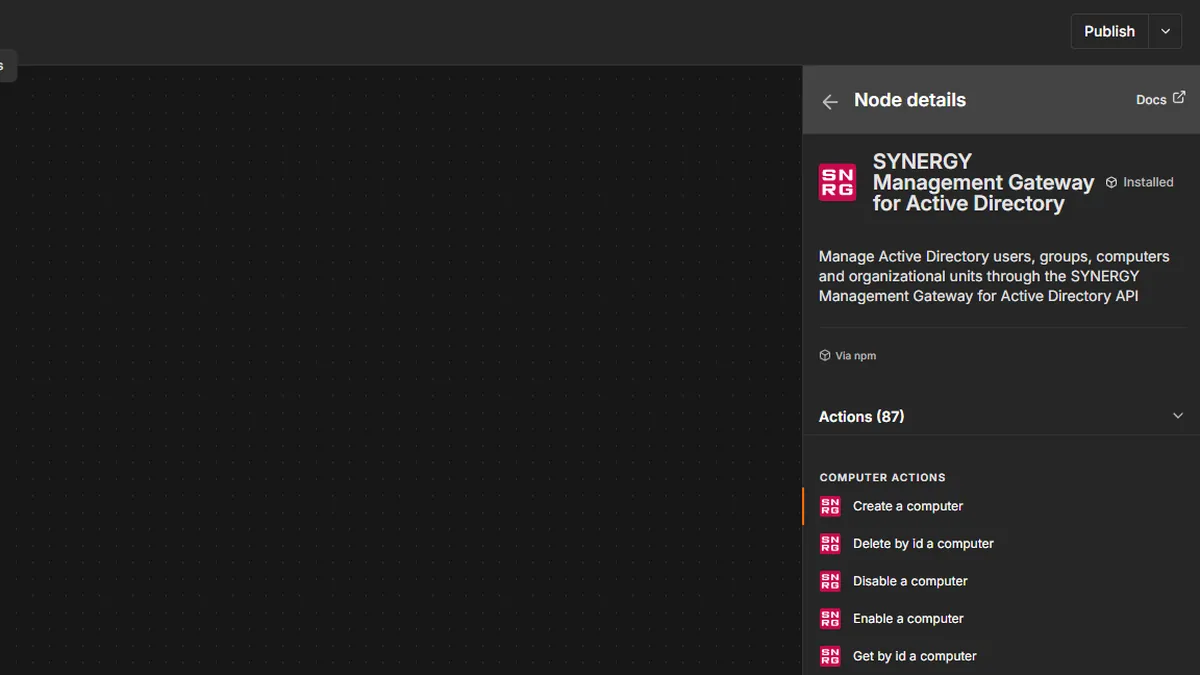
Dedicated n8n nodes
A ready-made n8n node for Active Directory lets you create users, reset passwords and change group membership in a workflow, without writing scripts. It works through the same gateway as every other channel, so each workflow can do only what its API key allows, approval rules still apply, and every change is audited. Your team builds onboarding and service desk automation visually, and none of it gets around your rules.
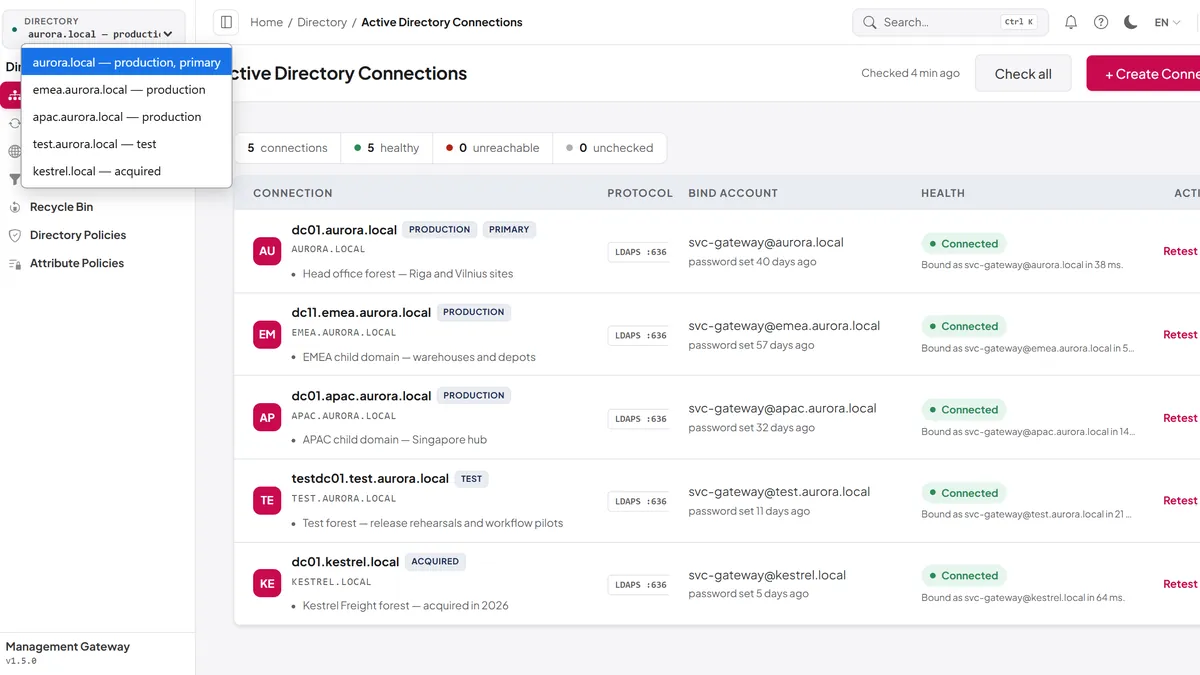
Multiple directories
Connect several Active Directory domains or forests to one gateway: test and production, or a domain that came with an acquisition. Each role and API key is bound to the directories it may touch, so a key made for test cannot change production. You work from one console with one set of rules, instead of a separate tool and set of accounts for each domain.
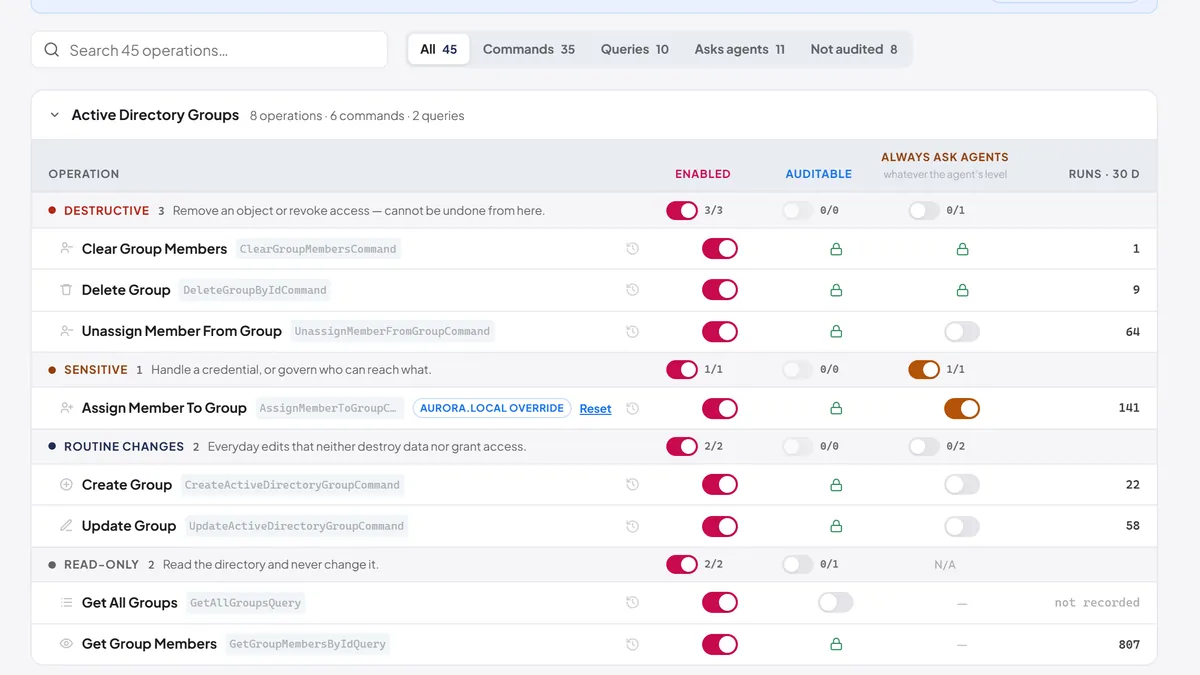
Permissions and approvals
Fine-grained permissions decide who can do what, and approval rules can hold sensitive changes, such as group membership, until a second person approves them. The same checks run in the web console, the REST API, MCP and n8n, so no channel skips them, and a rule set for one directory can only make the global rules stricter. You get segregation of duties you can show an auditor, without taking the work away from the people who do it.
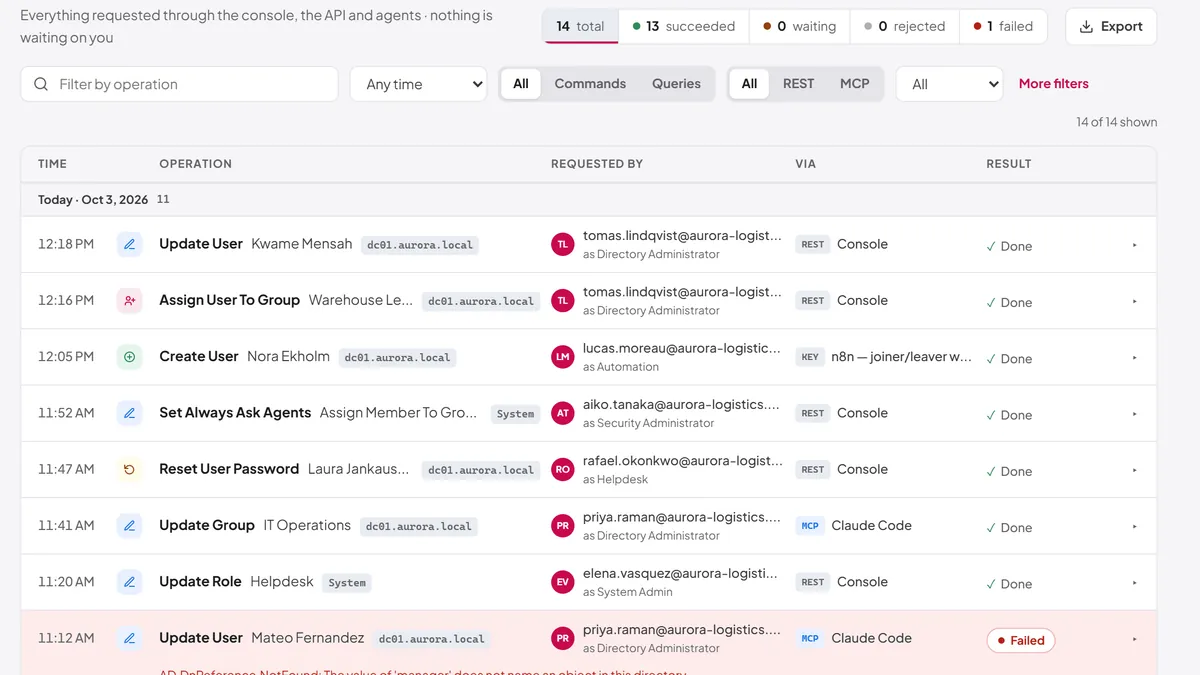
Audit trail and change history
Every change is recorded with who made it, through which channel, the object it touched, the values before and after, and whether it succeeded. Changes to the gateway itself, such as roles, API keys and policies, are recorded too and cannot be switched off, and events can stream to your SIEM. When someone asks what happened to an account, you answer from one place instead of piecing together domain controller logs.
Flexible sign-in and API access
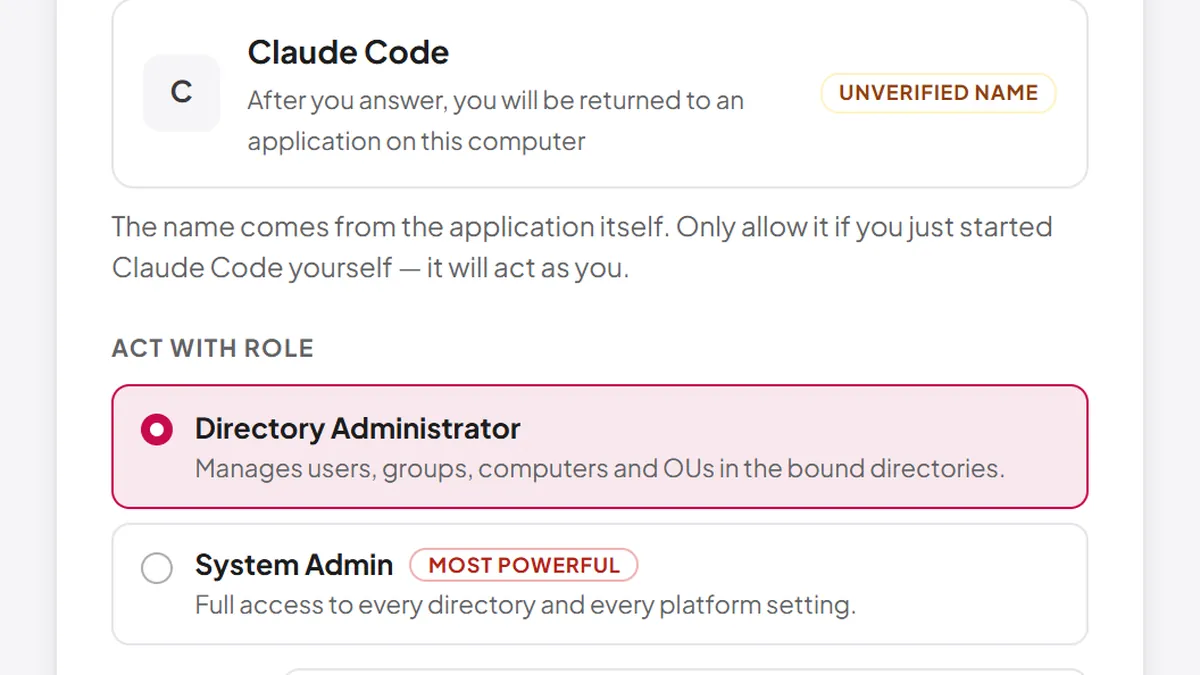
People sign in with Windows Integrated Authentication, SAML, OpenID Connect or a local account, and AI agents connecting over MCP can use OAuth. Each script or integration gets its own API key with its own role, directory scope and expiry, and any key can be revoked on its own. It fits the identity setup you already have, and switching off one integration never affects the others.
Runs on your own servers
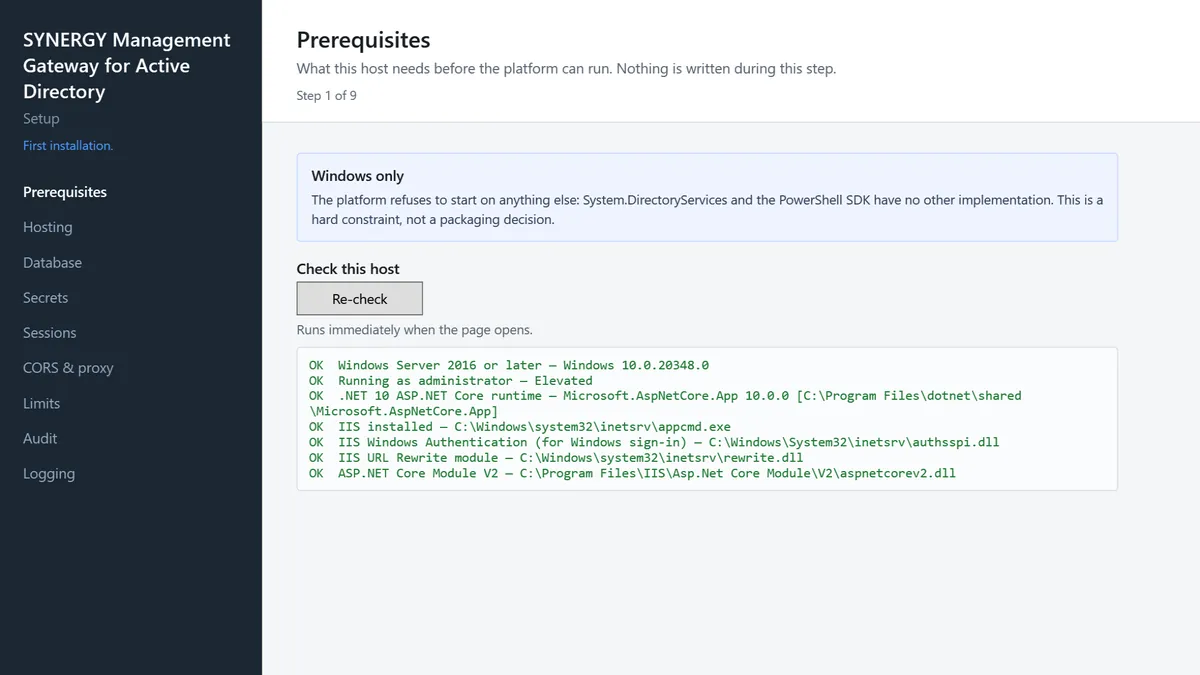
It installs on your own Windows Server with an installer and setup wizard, and keeps its data in SQL Server, PostgreSQL or SQLite. Updates are signature-checked and installed in a maintenance window you choose. Your directory data stays inside your network, and the gateway keeps working if your internet connection drops.
Pricing
Request a free trial
A 14-day trial for up to 100 users, with every feature included. No card needed. Tell us who you are and we'll email your trial licence code and installation instructions.
Common questions
Microsoft and Active Directory are trademarks of the Microsoft group of companies. SYNERGY Management Gateway for Active Directory is not affiliated with, sponsored or endorsed by Microsoft. Other product and company names are trademarks of their respective owners.
Discuss your ITSM needs
Clients benefit from a no-commitment call to discuss their specific requirements.